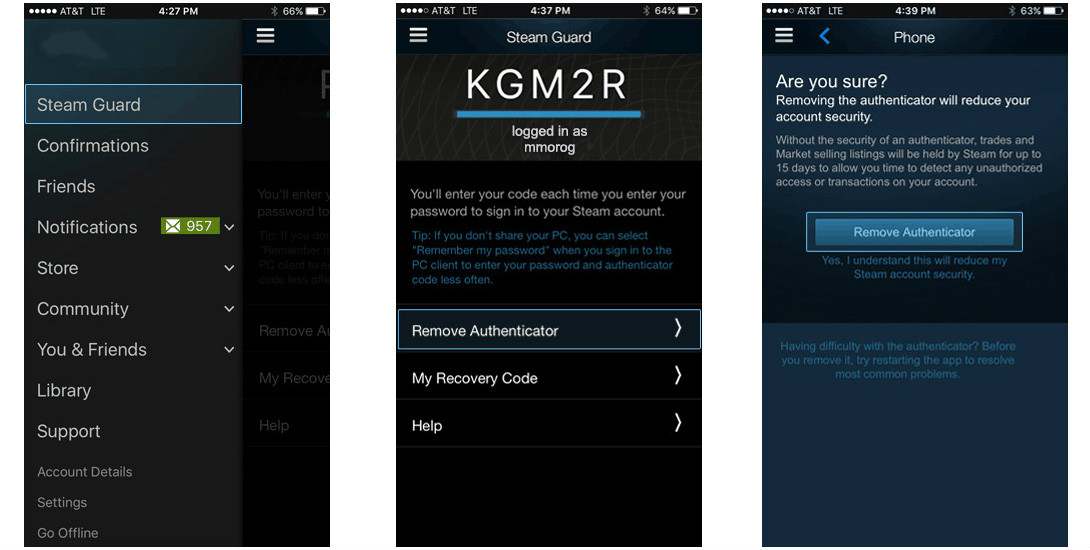


how to remove authenticator?
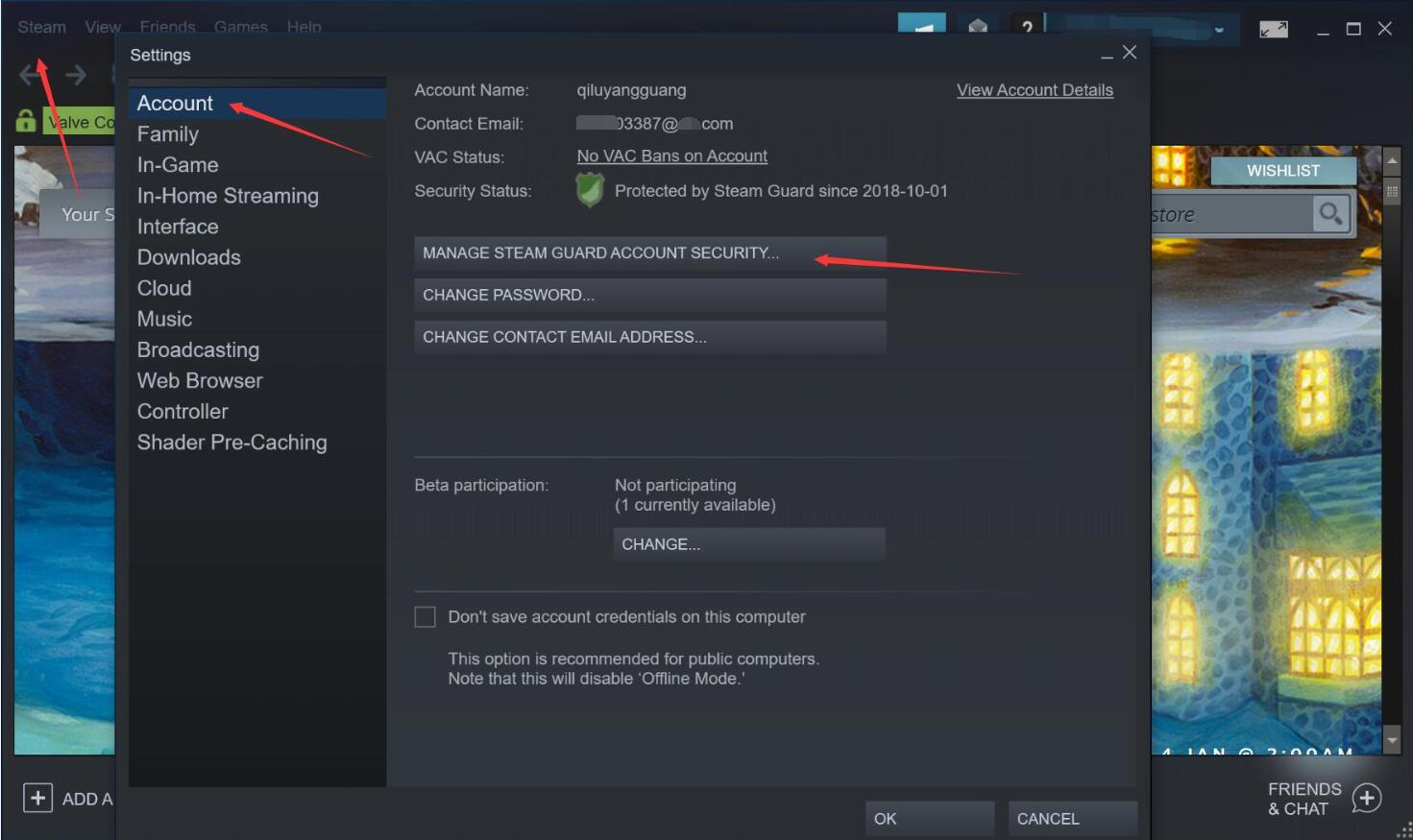
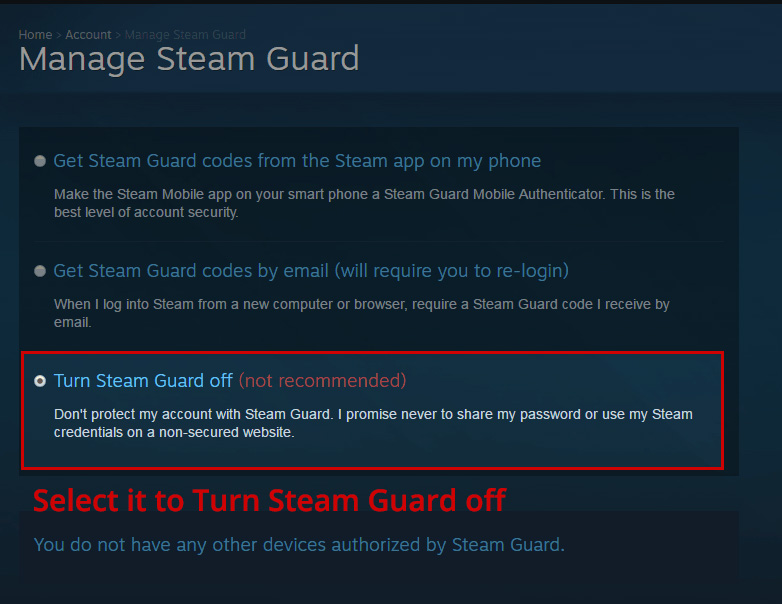
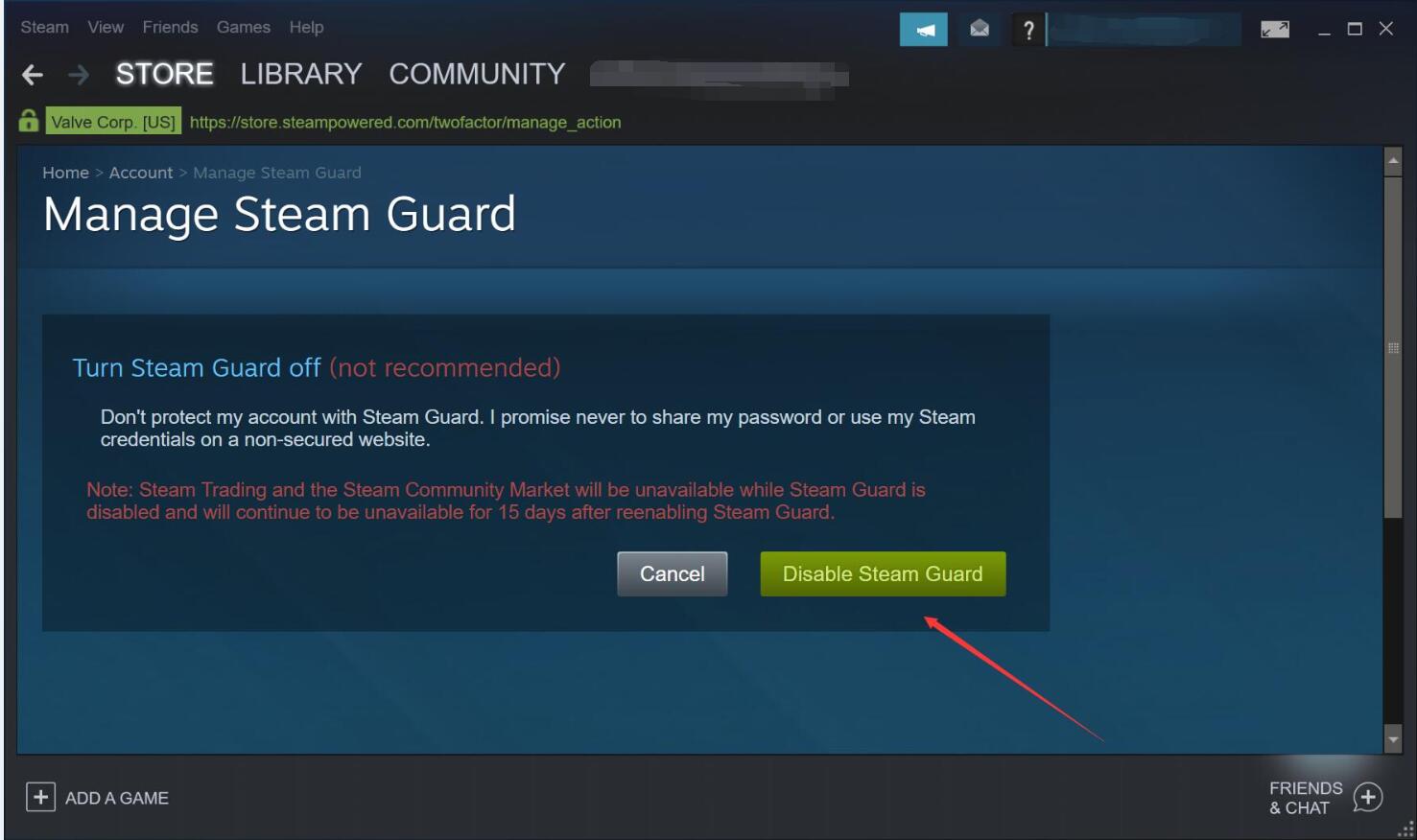
remove your authenticator using the steam mobile app:
step 1 - open the steam mobile app and go to the steam guard page.
step 2 - select "remove authenticator".
step 3 - confirm that you want to remove the authenticator.
note: removing the authenticator means any trades or community market listings will be held by steam for up to 15 days.