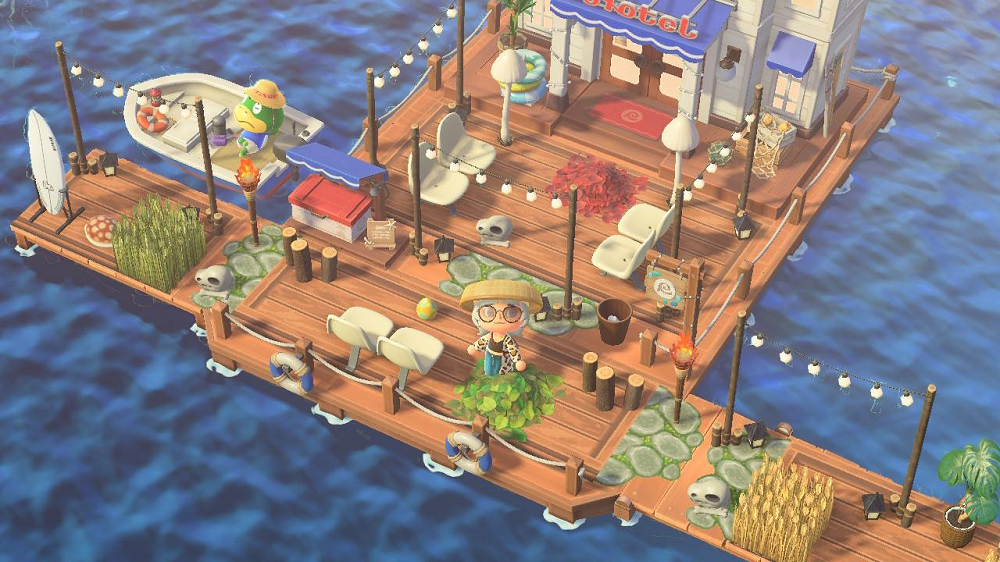



If you’ve updated Animal Crossing: New Horizons to version 3.0, you’ve probably heard about Dream Islands. This fun feature lets you explore other players’ islands anytime, even when they’re offline, and share your own island with the world. To visit the latest island designs and interior hotel room ideas, here we'll show you some new dream addresses & codes in ACNH 3.0 and how to make and visit the dream islands.
ACNH 3.0 Dream Islands Guide & New Dream Addresses 2026
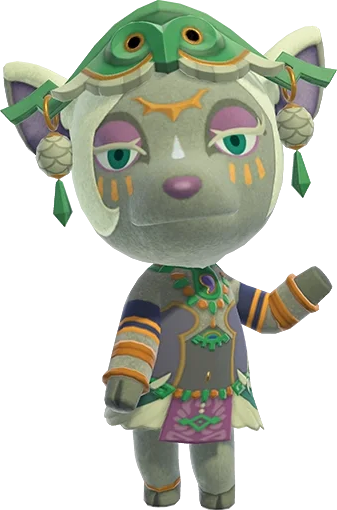
Animal Crossing Dream Islands are saved snapshots of players’ main islands. Think of them as virtual copies of an island—when you visit a Dream Island, you’re not interacting with the real, live island. Instead, you’re exploring a frozen moment of it, including all the decorations, paths, villagers, and buildings that were there when the snapshot was taken. ACNH Dream Islands let you share your island with others without worrying about them trampling your flowers, stealing your items, or changing anything. They also let you get inspiration from other players’ designs anytime, even if the other player isn’t online. You’ll work with an NPC named Luna (a tapir who lives in the Roost café) to create or visit Dream Islands—she’s your guide to all things dreaming in ACNH.
How to Unlock Dream Islands in ACNH 3.0?
Unlocking the dream feature (which lets you use Dream Islands) is simple, but you need to meet a few basic requirements first.
1. Your in-game home must be upgraded from a tent to a proper house. This is a basic early-game goal—you’ll unlock it by paying off your first loan to Tom Nook. Once you have a house (not a tent), you can use any bed inside it to start dreaming.
2. You need an active Nintendo Switch Online subscription. Dream Islands are an online feature, so you can’t use them without this subscription. If you don’t have one yet, you can try a 7-day free trial to test it out.
3. You don’t need to unlock any special building. Instead, you just need to talk to Luna for the first time. You’ll meet her automatically when you try to dream for the first time (by lying down in your bed and choosing to sleep).
One important note: You can’t access dreaming when you’re in a multiplayer session on your main island. You have to be playing alone to start a dream.
Here’s the quick step to confirm you’ve unlocked it:
1. Go to your house and lie down on any bed.
2. A menu will pop up—select “Yeah, I want to sleep.”
3. If you’ve met the requirements, Luna will appear and explain how dreaming works. This means you’ve successfully unlocked Dream Islands!
Unlike in Animal Crossing: New Leaf (where you had to pay 500 Bells to dream), dreaming in ACNH 3.0 is completely free.
Dream Islands vs. Slumber Islands: What Are the Differences?
In ACNH 3.0, there’s another similar feature called Slumber Islands. Many players mix them up, but they’re very different.
1. Dream Islands are not live spaces. Slumber Islands are live, online spaces where you can interact in real time.
2. When it comes to internet needs, both require an internet connection, but the scenarios differ. For Dream Islands, you only need internet when creating your own Dream Island or visiting others’. For Slumber Islands, however, you need internet all the time—even when you’re playing alone on your Slumber Island.
3. The use of Dream Addresses is another key difference. Dream Islands must use Dream Addresses (unique codes starting with “DA-”) to share or visit. Slumber Islands do not need Dream Addresses at all; instead, you have to invite friends to join you live if you want to share your Slumber Island.
4. Whether you can make changes is also a big difference. You cannot make any changes to a Dream Island. But for Slumber Islands, most changes you make are permanent, such as terraforming the land or placing decorative items.
5. Collaboration is possible on Slumber Islands but not on Dream Islands. You can decorate Slumber Islands with friends in real time, turning them into a shared creative space. Dream Islands are for solo exploration only; you can’t explore them with others together.
6. The cataloging of Animal Crossing items works differently, too. When you catalog items on a Dream Island, those items are added to your permanent main catalog, so you can buy or order them later. For Slumber Islands, the catalog of shared items is temporary—it only lasts for your current play session. If you leave and come back, those shared items will no longer be in your Slumber Island catalog.
7. Finally, the status of villagers varies. On Dream Islands, villagers are static because they are part of the fixed snapshot. On Slumber Islands, villagers are temporary—they will disappear when the player who brought them to the Slumber Island leaves or logs off the game.
How to Make or Create Your Own Dream Island (and Get a Dream Address) in ACNH?
Want to share your main island with other players? Follow these simple steps to create your Dream Island and get a unique Dream Address:
Prepare your main island: First, make sure your island looks exactly how you want it to. Luna will take a snapshot of your island as it is—so tidy up, place any decorations you want to show off, and make sure your villagers are around if you want them in the snapshot.
Go to your bed: Find any bed on your main island (your house bed works best) and lie down.
Talk to Luna: When you lie down, a menu will pop up. Select “Yeah, I want to sleep” to start dreaming. Luna will appear and talk to you.
Choose “Share a Dream”: Luna will ask what you want to do. Select the option that says “I’d like to share a dream” (she’ll guide you with clear prompts, so don’t worry about picking the wrong thing).
Get your Dream Address: Luna will take a snapshot of your island. Then she’ll give you a Dream Address. This code is how other players will find and visit your Dream Island.
Share your Dream Address: Write down your Dream Address or share it online (on social media, ACNH forums, or Reddit communities like r/acnh). Now, anyone with your code can visit your Dream Island anytime!
You can update your Dream Island anytime. Just repeat these steps, and Luna will take a new snapshot of your island. Your Dream Address will stay the same—only the snapshot will change.
How to Visit a Dream Island in ACNH 3.0?
Exploring other players’ Dream Islands is a great way to get inspiration for your own island. All you need is the other player’s Dream Address. Follow these steps to visit:
Go to your bed: Lie down on any bed on your main island.
Talk to Luna: Select “Yeah, I want to sleep” to start dreaming.
Choose “Visit a Dream”: When Luna asks what you want to do, select the option for visiting a dream (it might say “I want to dream” or “Visit a Dream”—follow her prompts).
Enter the Dream Address: Use the on-screen keyboard to type in the other player’s Dream Address. Double-check the letters and numbers—if you type it wrong, you won’t find the island.
Start exploring: Press “OK” after entering the code. Luna will connect you to the internet and load the Dream Island. You’ll wake up on a bed in the Dream Island’s plaza—now you’re free to explore!
What You Can and Can’t Do on a Dream Island?
When you’re on a Animal Crossing Dream Island, there are some rules about what you can and can’t do.
What You CAN Do:
Explore the entire island: Walk around, check out paths, decorations, and landscaping.
Visit buildings: Go inside villagers’ houses, your host’s house, and the museum. You can even look at the museum’s exhibits.
Talk to villagers: They’ll chat with you just like they do on real islands.
Catalog items: If you see an item you like, pick it up. It won’t go into your inventory, but it will be added to your permanent catalog. This means you can buy the item later from Nook’s Cranny or order it from the Nook Shopping app!
Download custom designs: Use the terminal outside Resident Services (the same one at Able Sisters) to download the host’s custom designs (like path patterns or clothing designs).
What You CAN’T Do:
Change anything: You can’t place or move items, terraform, or damage the island in any way. It’s just a snapshot!
Enter certain shops: You can’t go into Resident Services, Able Sisters, or Nook’s Cranny on a Dream Island.
Bring items with you: When you start dreaming, Luna will “hold onto” all the items in your pockets. You’ll get them back when you wake up.
Take items: Even if you pick up an item to catalog it, you won’t keep it—you’ll only add it to your catalog.
How to Leave a Dream Island?
When you’re done exploring, leaving a Dream Island is easy:
Find the bed outside Resident Services (this is where you woke up).
Lie down on the bed.
Follow Luna’s prompts to “wake up.” You’ll be taken back to your main island, and you’ll get all your items back.
If you encounter a Dream Island with inappropriate content, you can press the minus (-) button to report it. Luna will wake you up immediately, and the report will be sent to Nintendo.
Best ACNH 3.0 Dream Addresses & Codes 2026
Looking for great Dream Islands to explore? Here are some popular ones from ACNH communities and other online channels. Each has a unique theme so that you can get inspiration for your own island.
Moriland – Theme: Cozy nature island | Dream Address: DA-5470-0186-1170
Moriween – Theme: Halloween-themed island | Dream Address: DA-2054-5278-7699
Rosenbern – Theme: Classic, charming town | Dream Address: DA-2649-6377-7705
MST3K Themed Town – Theme: Tribute to the TV show Mystery Science Theater 3000 | Dream Address: DA-0805-0224-8312
BoyZeee’s Hometown Homage – Theme: Tribute to the player’s real hometown | Dream Address: DA-3389-5928-3392
Cute Design Island – Theme: Cute decorations and custom designs | Dream Address: DA-2790-7435-1513
Bryanshire – Theme: Newly updated 3.0 island | Dream Address: DA-7759-4749-7884
Serenity – Theme: 3.0 island (work in progress) | Dream Address: DA-4514-6343-1084
Roanapur | Dream Address: DA-9537-9079-9629
Emilio’s Island – Theme: 3.0 updated with gyroid theater, beach cabana & Nintendo room | Dream Address: DA-3616-8461-0585
Rosewood | Dream Address: DA-6205-9376-4946
Jadelilymoon’s Island – Theme: Dreamy curated bedroom (3.0 cat decor focus) | Dream Address: DA-1513-6246-0377
Mahoroba – Theme: Traditional Japanese/Chinese & nature core (3.0 work in progress) | Dream Address: DA-2417-9420-8196
Furever – Theme: Spring core with subtle fall accents (cute, cohesive & practical design) | Dream Address: DA-6772-0012-1075
To find more Dream Addresses, check ACNH communities online. Reddit’s r/ACdreamcodes is a great place to find themed islands, and many players share their codes on Twitter or Instagram, too.